

What is Morelogin?
Morelogin is a privacy-focused browser that allows you to connect to a single browser with complete privacy. It lets you connect a proxy to your session with a different IP address. While we refer to the static proxy, Morelogin also has an option to mark a proxy as rotating. This is our favourite privacy browser option because of the nice interface, free profiles and good prices.
Step-by-Step Guide:
1.Download the browser
You can find the download link here:
https://www.morelogin.com/download/
2.Create and Log into Your Account in the software :
On the left sidebar, click to create a new profile.
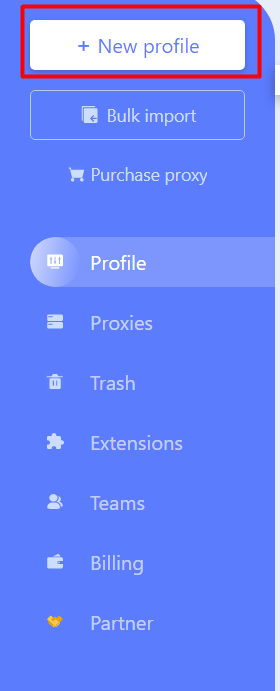
Click on the three dots near the profile and select the "Edit Profile" option.

3.Set Up Proxy :
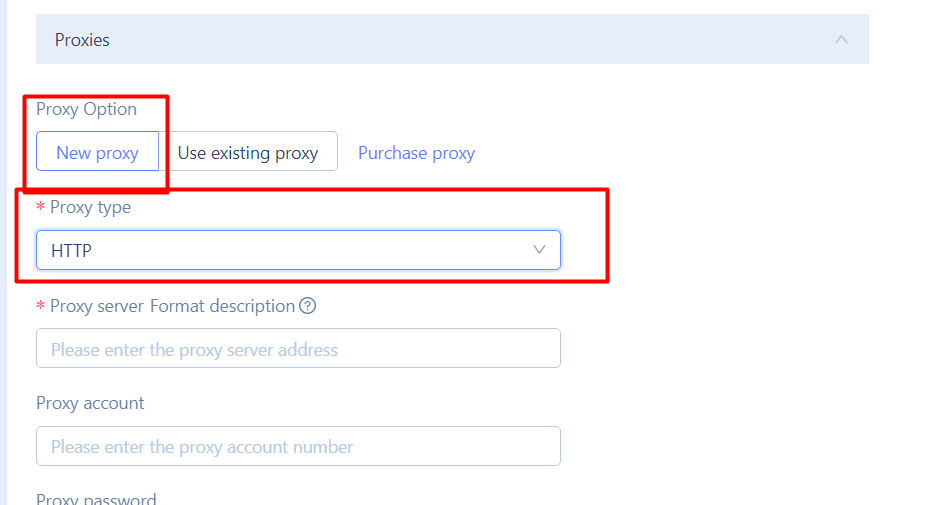
Scroll down to the proxy settings and click "New Proxy." Set the proxy type as HTTP, and in the description for the proxy server format, paste the proxy generated by Catproxies.com with your preferred settings for country, state, sticky count, session time, and others. If you copy paste the whole proxy it should auto detect all the parts from its format. Save your profile.
4.Start the Browser
Click on "OK," and the browser is launched.

Example:
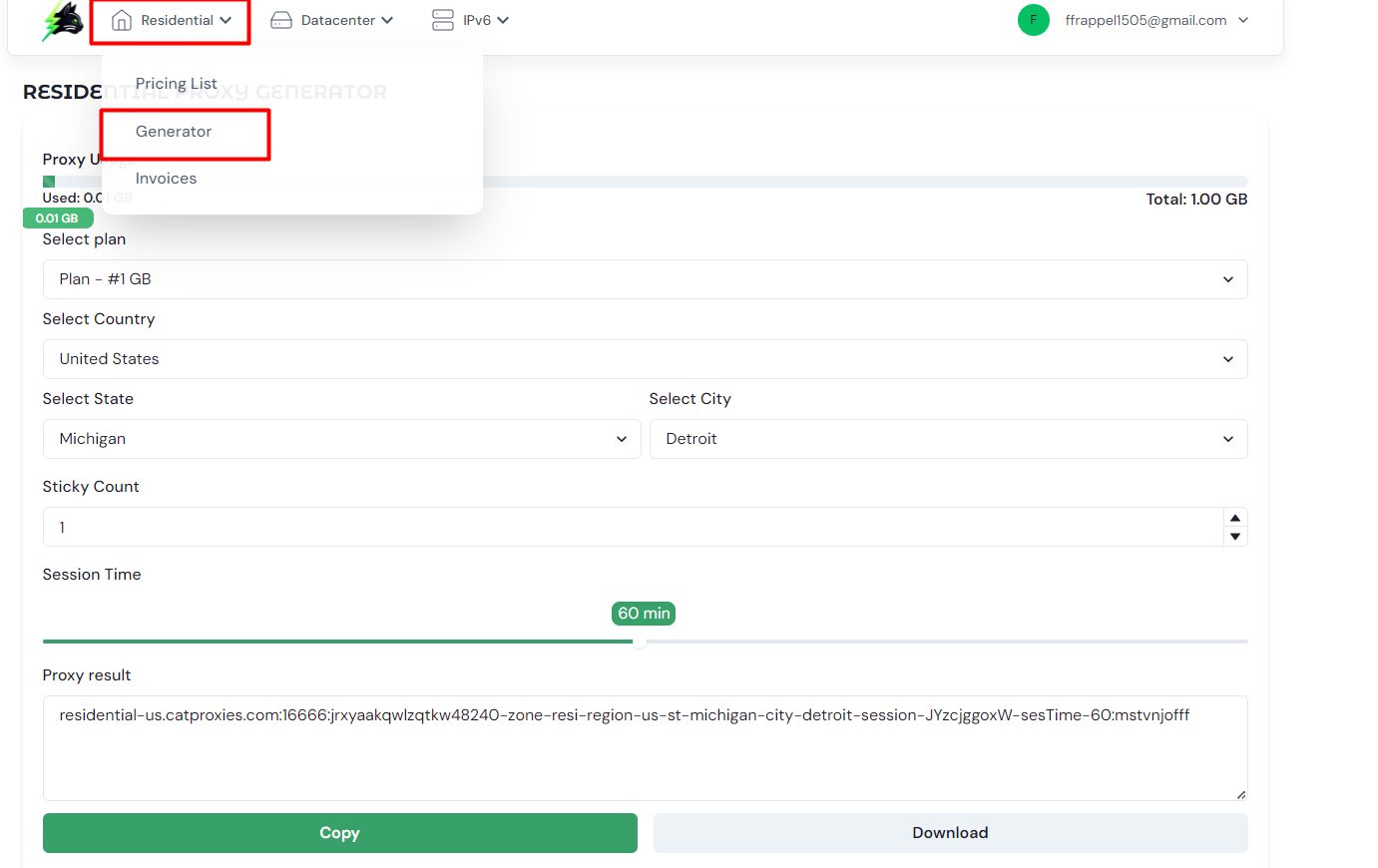
To get a USA proxy out of Detroit, Michigan, with a 60-minute sticky session (maximum is 120 minutes), go to Catproxies residential section, navigate to Generator, choose the country as the USA, and then add in the other info asked for. Then, bump a sticky count up to 1 so that the session time bar shows, and raise the sticky time to 60 minutes. Copy the selection, then paste it into Morelogin. Morelogin will automatically input the correct fields.
More details on Residential proxies on this blog: https://catproxies.com/blogs/how-to-use-residential-proxies-on-catproxies
Verification:
Once Morelogin opens, it will automatically check if the proxy is set correctly
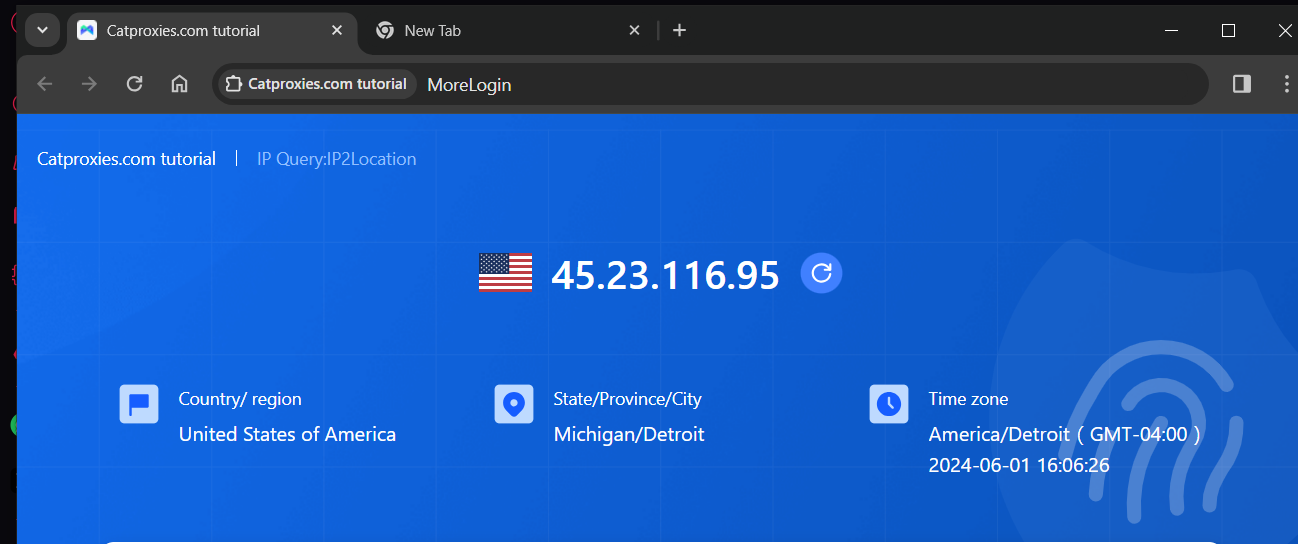
After the 60 minutes, the proxy ip will change, you can recreate on catproxies.com and just edit the proxies on morelogin and so on.